

In this article
- The Real Problem: You Are Paying for More Brainpower Than You Need
- The Playbook: Nine Ways to Cut Costs
- 1. Send Easy Tasks to Smaller Models
- 2. Turn On Prompt Caching
- 3. Add Semantic Caching
- 4. Clean Up What You Send the Model
- 5. Keep Answers Short
- 6. Batch the Work That Is Not Urgent
- 7. Train a Small Model for Your Busiest Task
- 8. Run Your Own Models, If the Volume Justifies It
- 9. Track What You Are Spending
- Tools That Already Do This For You
- Never sacrifice quality for cost
It is the second Tuesday of the month. Somewhere in your finance system, an alert just went off.
The Head of AI opens the billing dashboard before coffee. Three months ago, this report showed $8,000. The pilot had gone well, so more teams asked to use it.
Today the number is $340,000. For the month. And it is still going up.
Nobody did anything wrong. The product worked, so people used it more. But…
Now the bill looks like a problem, not a line item. Someone's going to ask, “Why does this cost so much?”
Here is the good news: most of that bill is not paying for smarts. It is paying for a bad habit. And habits can change.
The Real Problem: You Are Paying for More Brainpower Than You Need#
Most AI bills are too high for one simple reason. The model is not the default choice.
When a team builds its first AI feature, they pick the smartest, most powerful model. That's fine for a first test. But that model quietly becomes the model used for everything, even easy stuff like sorting a support ticket, pulling an address out of an email, or summarizing two short paragraphs.
None of that needs a top-tier model. But it still runs through the expensive one, because nobody stopped to ask the one question that matters:
What's the cheapest model that still does this job well?
That is the whole idea behind cost optimization. Not "spend less on AI" but "stop paying for power you do not use." You want the cheapest model that still gets the job done right, not the smartest one available.
And this gap is only growing. Smaller models keep getting better, closing the quality gap on everyday tasks every few months. The longer you wait to fix this, the more money you leave on the table.
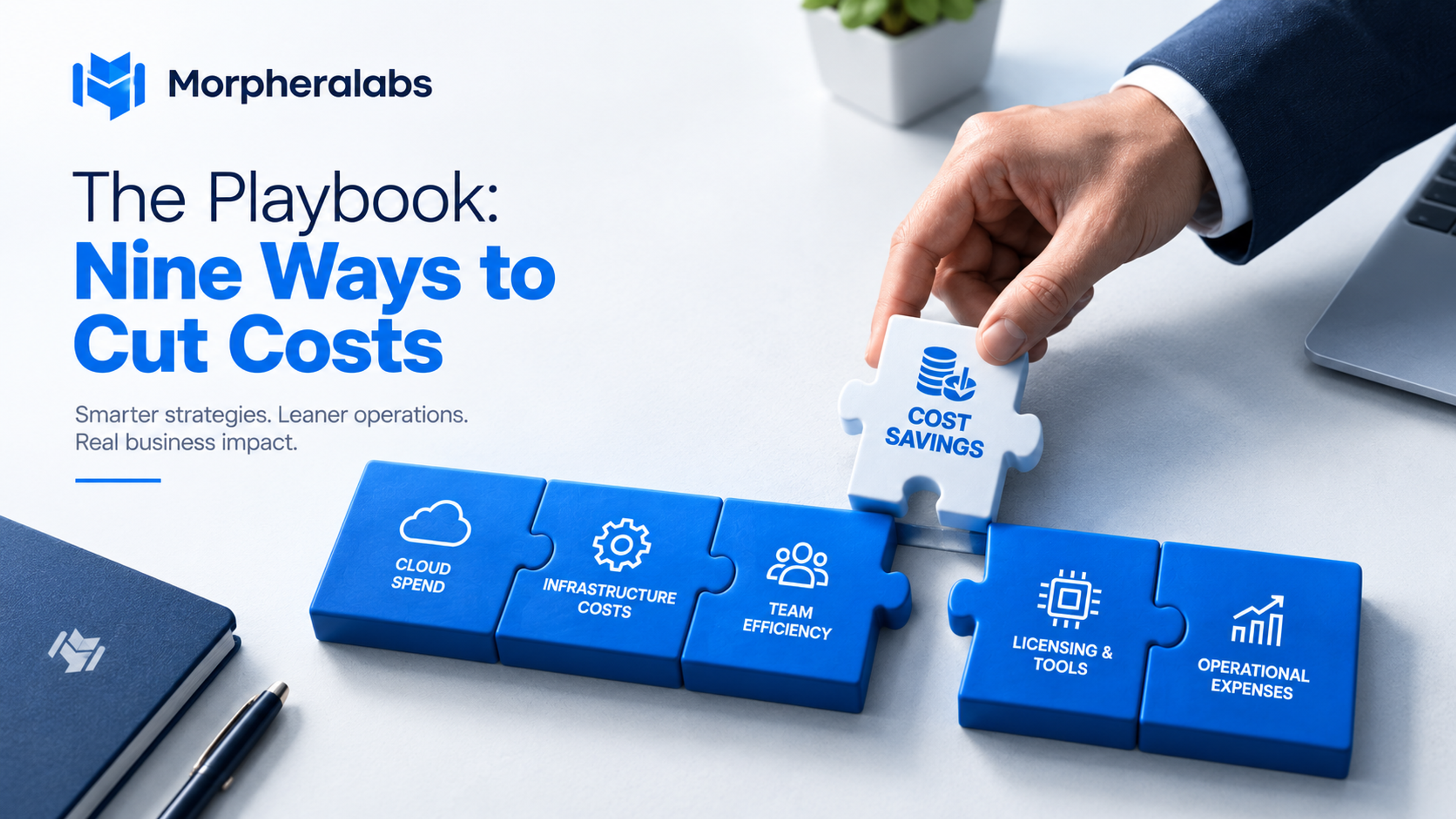
The Playbook: Nine Ways to Cut Costs#
Once you can see where your money goes, the fixes usually happen in this order, easiest and biggest wins first.
| What to do | Typical savings | How hard it is |
|---|---|---|
| Route tasks to smaller models | 40 - 85% | Low to medium |
| Turn on prompt caching | Up to ~90% on repeated text | Very low |
| Add semantic caching | 40–70% on repeat questions | Low |
| Trim and clean up context | Big | Medium |
| Control how long answers are | Big | low |
| Use batch processing | Solid | Low |
| Train a small, focused model | Big, for that one task | High |
| Run your own models (quantized) | Big, at scale | High |
| Track spend and set up FinOps | Makes everything else work | Ongoing |
1. Send Easy Tasks to Smaller Models#
This is called routing. Instead of sending every request to your most powerful (and most expensive) model, a simple rule or small classifier checks each task first: does this really need the top model, or will a smaller, cheaper one do just as well?
Most everyday tasks do not need your best model. A smaller model gets these right almost as often, for a lot less money, and the hard 5% of requests still go to your top model.
Example: An online store sends order-status questions to a small, fast model and only sends refund disputes to the bigger one. Most of its traffic moves to the cheap option overnight.
Do this first: Start with simple rules (task type, question length, keywords) before building anything fancy. You'll see savings within a week.
2. Turn On Prompt Caching#
If your app sends the same instructions or background info with every app, most apps do prompt caching, which lets you skip paying full price for that same text again and again. Pay full price once, then much less every time after. Usually, this is just a setting to turn on.
Example: A legal app sends a long compliance document with every question. Caching means it only pays full price for that document once, not on every single question.
Do this first: Put the parts that do not change (instructions, examples) at the start of your prompt and the part that does change (the user's actual question) at the end. This makes caching work better.
3. Add Semantic Caching#
Prompt caching saves you from resending the same background text. Semantic caching saves you from answering the same question twice by reusing an answer you've already given to something similar.
Example: A support bot notices "I forgot my password" and "can't log in" mean the same thing and uses one saved answer for both.
Do this first: Start carefully. A wrong cached answer hurts trust more than it saves money. Test it against real questions before turning it up.
4. Clean Up What You Send the Model#
Every bit of text you send costs money, and most systems send more than they need to. Instead of pulling in ten documents "just in case," pull in the three that matter. Summarize long documents first. Cut what the model does not use.
This is not about giving the model less; it is giving it cleaner information. An overloaded prompt often gives worse answers, because the model has to dig through noise to find what matters.
Example: A finance company was sending ten document chunks per question. They cut it down to the three most useful ones, and answers got both cheaper and more accurate.
If your AI works with code, a coding agent, or a dev tool that runs shell commands, this shows up differently.
A plain git status or can dump dozens of lines into the model's context, most of it noise. A tool like RTK (Rust Token Killer) sits in between, catches that raw output, and passes along a short, clean summary instead. Teams report big drops in token use on these kinds of commands.
Do this first: Check a sample of real prompts. If a third of what you're sending never shows up in the answer, you're sending too much.
5. Keep Answers Short#
Long answers cost more than long questions on most platforms, and it is easy to forget. A model that writes three extra paragraphs when you need one sentence is quietly wasting money every time.
Ask for short answers. Use a fixed format like JSON when you can. Say "three sentences or fewer" if that is all you need. Shorter answers are also easier for your app to read.
Example: A company writing product descriptions switched to a fixed format with a word limit. Their output shrank by more than half, and it got easier to check for mistakes.
Do this first: Only ask for what you will actually use. If your app only needs three fields, ask for three fields, nothing more.
6. Batch the Work That Is Not Urgent#
Not everything needs an answer right now. Nightly reports, bulk sorting, big summaries anything that can wait a few hours can run through a batch process, which most providers discount in exchange for a slower turnaround.
Example: A retailer that resorted to its whole product catalog every week moved that job to an overnight batch run. Same result, lower cost.
Do this first: Look at your calls and ask which ones actually need to happen instantly. You will probably find more "urgent" calls than you really need.
7. Train a Small Model for Your Busiest Task#
For tasks you run thousands of times a day that do not change much, it can be worth training a smaller model just for that job using your bigger model's answers as training examples or your own data. This takes more work, so it is worth doing once a task is stable and busy enough to pay off quickly.
Example: A logistics company trained a small model just to read shipping documents. It works as well as their big model for that one job, at a much lower cost per use.
Do this first: Pick your single busiest, most repetitive task to start. Do not try to do this for everything at once.
8. Run Your Own Models, If the Volume Justifies It#
Once a task runs often enough, hosting your own open-source model, often a smaller, compressed version, can cost less than paying per API call. This takes real setup and upkeep, so it is not a first step, but for one narrow, high-volume task, it can be the cheapest option.
Do this first: Add up the full cost, not just the price per call, including the time it takes to run and maintain it. This only pays off once your volume is high enough.
9. Track What You Are Spending#
None of this works long-term if you cannot see it. Know which team and task is spending what.
Set budgets.
Watch for costs creeping back up.
This is what makes every other fix stick without it; things drift, and you are back at square one.
Do this first: Measure your cost and usage before you make changes. You need a starting point to know if anything actually worked.
Tools That Already Do This For You#
You do not have to build all of this yourself. A growing set of open-source tools already handles most of these fixes:
| Tool | What it does | Good for |
|---|---|---|
| LiteLLM | One simple connection to 100+ AI providers, with routing and spend limits built in | Routing + budget tracking |
| RouteLLM | Sends easy questions to a cheap model and hard ones to a strong one, based on research from UC Berkeley | Model routing |
| GPTCache | Reuses an answer when a new question means the same thing, even if it's worded differently | Semantic caching |
| LLMLingua | Squeezes long prompts down, cutting tokens sharply while keeping the meaning | Prompt compression |
| Langfuse | Tracks cost and quality side by side, so you can see what's actually happening in production | Cost + quality tracking |
| RTK | Cleans up messy command output before it reaches your AI coding tool | Coding agents / dev tools |
| Portkey / Bifrost | A gateway in front of your app that adds caching, routing, and spend limits in one place | All-in-one setup |
One honest note: these tools often advertise big numbers, "60 to 90% savings,” and "10x cheaper." Those numbers usually come from a best-case test, not your actual traffic.
A recent independent test ran three popular token-saving tools, RTK included, against 614 million real tokens from real coding sessions and found they saved about 3.7%, far below the advertised 60 to 90%. That does not make the tools useless. It means you should test them on your own traffic before trusting the number on the README.
Which is really the whole point of this post: measure, do not assume.
Never sacrifice quality for cost#
Only move a task to a cheaper model after confirming it still performs well, tracking success rate, user satisfaction, and how often humans still have to step in. A “cheap” answer that needs fixing often costs more than the expensive one. Test first, monitor closely, and dial back if quality slips. Cost and quality both improve when you simply ask, “Is this the right model for this job?”
Action plan
- This week: See where the money is going, turn on prompt caching, and cap long answers.
- This month: Route your simplest high-volume tasks, clean up bloated context, and start tracking costs + quality by team.
- This quarter: Add semantic caching, distill one stable task, use batch processing, and evaluate self-hosting where volume justifies it.
The real point
This is not about spending less. It is about removing the hidden tax that stops you from scaling. Teams that master these levers can run more experiments and ship more AI without constant budget battles. Efficiency is what makes ambition sustainable.